One‑tap OpenVPN app for mobile privacy and regional access
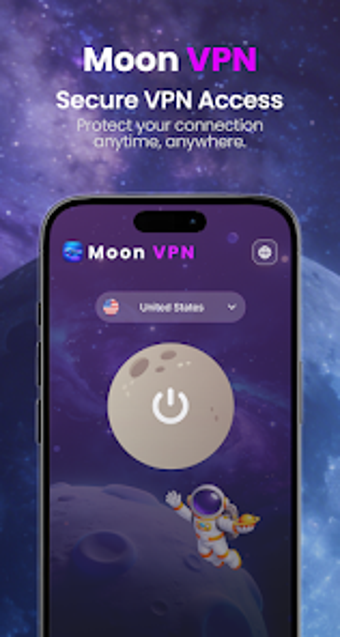
Experience Moon VPN: Protect & Unblock, an Android privacy utility from Luna Media, designed to protect browsing and bypass regional restrictions. The app creates an encrypted tunnel to anonymize traffic across mobile and Wi‑Fi networks, maintains connectivity during network changes, and requires no account setup. Key highlights include persistent connection handling and built-in content protections presented in a space-themed Material Design interface. It targets Android users seeking quick privacy and simple access to blocked sites on public hotspots.
How Moon establishes encrypted, unblockable connections
Moon uses the OpenVPN API to set up an encrypted tunnel that prevents traffic monitoring by third parties, and it supports a broad set of network types. The app lists support for 2G, 3G, 4G, 5G, and Wi‑Fi, and operates without root access. Practical outcomes: encrypted transmission for browsing and the ability to reach geographically restricted websites and apps.
What Moon does to remain connected across networks
Moon implements a persistent connection mechanism that keeps the VPN tunnel active when the device switches networks, reducing session drops during handovers between mobile data and hotspots. The application is optimized for mobile phones and tablets according to its description, which means setup is handled by the app rather than the user. This design reduces the need for manual reconnection on network changes.
How Moon handles security on public and carrier networks
The app transmits data through encrypted channels to limit monitoring by internet providers and includes integrated protections against phishing and inappropriate content. It requires no registration, which reduces the number of credentials stored on the device. The underlying use of a standard VPN API supplies a familiar protocol base for security-conscious users who prefer recognized tunneling methods.
Whether you need technical knowledge to operate Moon
Moon advertises a zero-configuration setup tailored for non-technical users, with a Material Design, moon-themed interface that minimizes setup steps. The developer positions the app as ready-to-use without account creation, so routine use requires little networking knowledge. Technical users gain protocol-level assurance from the OpenVPN API, while casual users can rely on the simplified workflow stated by the developer.
Practical choice for quick mobile privacy, with one main trade-off
Moon is a practical option for Android users who need immediate privacy and access to restricted content on mobile networks and public hotspots. The single notable trade-off is the presence of non-intrusive advertisements to support the app's maintenance. As a tip, enable the VPN while connected to unsecured public Wi‑Fi to make the most of its encrypted transmission and connection persistence.